Decisions and next steps
Surface what was agreed, what remains open, who owns follow-up, and what should happen next.
- Clear action-oriented structure
- Useful for absent participants
Meeting notes to report
Paste the notes, name the reader, and describe the outcome. BriefGen can organize discussion points into a concise, shareable PDF with decisions, themes, unresolved questions, and follow-up items.
From notes to narrative
A report is more useful than raw minutes when readers need context, recurring themes, and implications—not a line-by-line transcript.
Surface what was agreed, what remains open, who owns follow-up, and what should happen next.
Combine notes from multiple meetings or interviews into recurring concerns, areas of agreement, and meaningful differences.
Translate a working session into a readable document for residents, members, parents, or volunteers who were not in the room.
Meeting-report ideas
Paste the source notes into the context box; the request should explain the report's purpose.
Neighborhood meeting
“Turn my traffic-safety meeting notes into a report for neighborhood residents, organized by concern, evidence mentioned, proposed action, and unresolved question.”
It makes a public meeting legible to people who were not there.
Use this example in BriefGenVolunteer committee
“Create a committee report from my fundraising-event notes with decisions, assigned tasks, deadlines, risks, and items needing board approval.”
The report becomes a practical coordination artifact.
Use this example in BriefGenProject retrospective
“Turn our project-retrospective notes into a professional report covering outcomes, what worked, what failed, lessons learned, and the next-cycle changes.”
A strong section structure converts loose observations into reusable learning.
Use this example in BriefGenListening sessions
“Synthesize notes from four parent listening sessions into a report for school leadership, preserving recurring themes and important minority concerns.”
It explicitly asks for synthesis without erasing disagreement.
Use this example in BriefGenBefore and after
The current real sample starts with representative meeting notes and becomes a reader-ready report without pretending the source material was independently confirmed.
Representative rough notes
Finished report
A six-page PDF for residents who missed the meeting, organized around purpose, main findings, areas of agreement, unresolved questions, and action items.
What BriefGen added
Still requires review
Sample proof
Start with the real Standard sample. Rough neighborhood-meeting notes became a structured, designed 6-page PDF through the same report pipeline customers use.
This real sample shows the transformation clearly: rough community-meeting notes became a readable six-page report for residents, volunteers, and local leaders.
Real Standard report sample • Page 1
Real PDF sample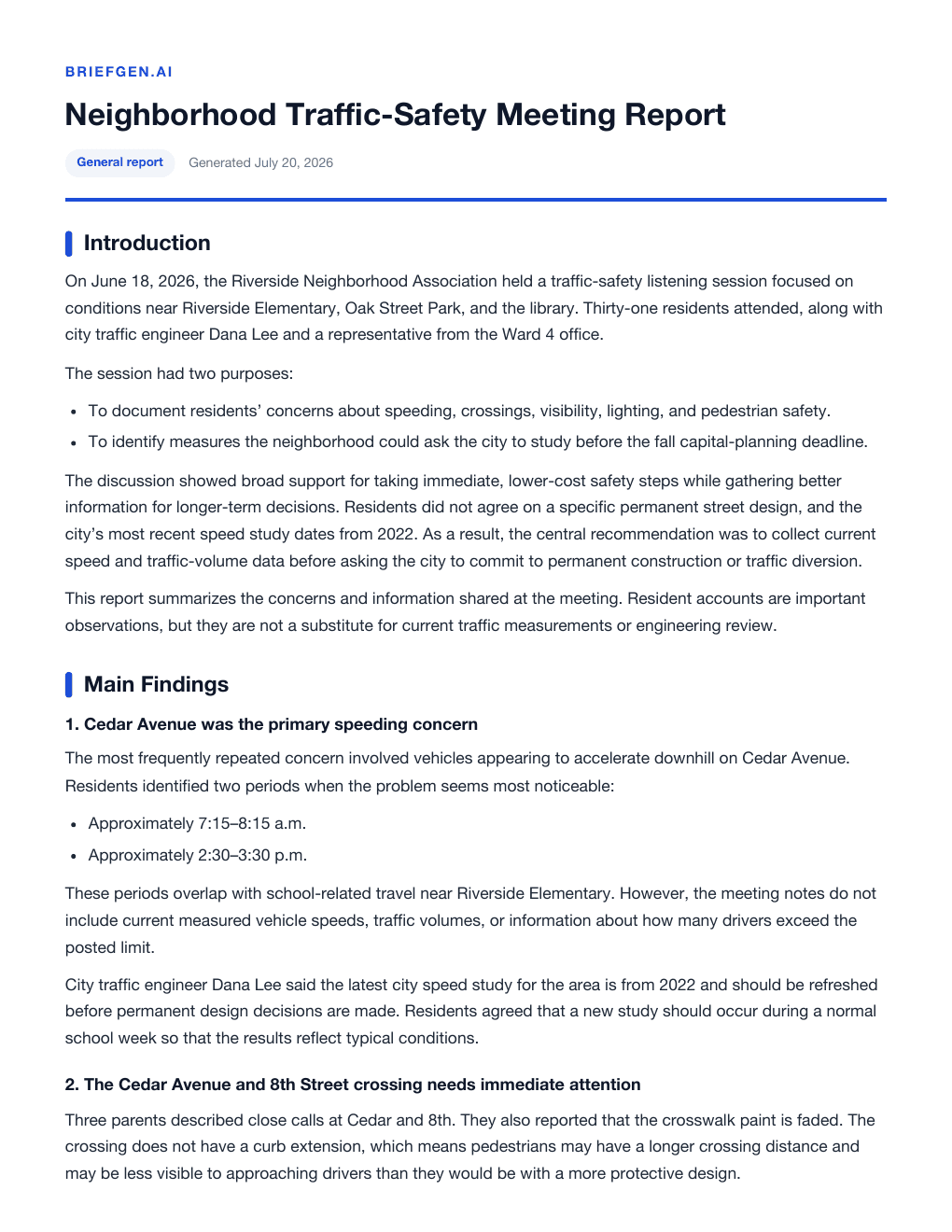
Simple one-time pricing
No tier choice, account, subscription, or later upgrade is required. The selected reader, structure, length, tone, and source preference are included.
Both include
One finished report
A polished, focused report made for the selected reader and usually ready within a few minutes.
Questions before you start
The important details about input, delivery, price, and responsible use.
Not necessarily. BriefGen creates a narrative report from notes. If your organization requires formal minutes, voting records, or a prescribed legal format, adapt and verify the output against those requirements.
No. BriefGen is a one-time purchase. Enter the report details, pay securely through Stripe, and receive the finished PDF by email.
Yes. Paste rough notes, facts, requirements, excerpts, or background into the optional context field. BriefGen uses them as source material and organizing guidance.
Reports are usually ready in 2–5 minutes. Provider incidents or unusually complex material can occasionally take longer.
Yes. AI can make mistakes. Review names, dates, quotations, citations, calculations, and any conclusion that matters before sharing, publishing, or acting on the report.
Related pages
These guides cover adjacent ways to turn a topic or rough source material into a useful finished document.
Turn rough notes, bullet points, and source material into a coherent, professionally formatted report.
View pageCreate a polished workplace, project, committee, or nonprofit report without a subscription or prompt expertise.
View pageCreate a polished, reader-ready PDF from a topic, question, or notes for a one-time $5 payment.
View pageReady to test it?
Describe the result you need, add any useful notes, and get a polished $5 PDF without learning how to prompt an AI model.